
WinCan Web account/company registration
- Use your preferred web browser (Chrome, Firefox, IE, etc) to browse to https://web.wincan.com
- Find the “Create now!” link above the Sign in portion of the site

- Fill in the form shown
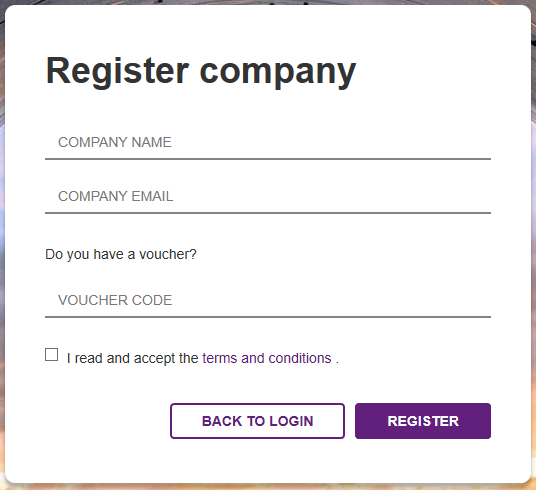
• Company name
• Email address
• Voucher (if applicable)
• Accept “terms and conditions”
• Register
• Confirmation message will display

- Open your email to find the link to Register your company
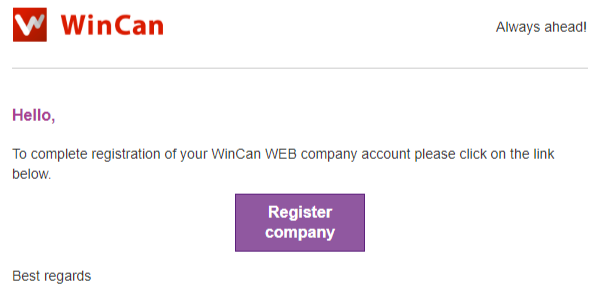
- Walk through the Register company form
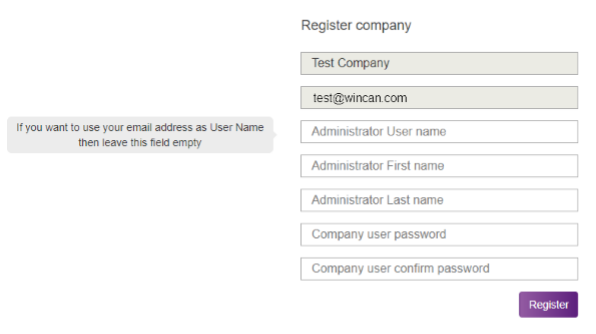
• Company name and email are locked from prior steps
• You can use the email address as a login or create a separate username (as noted)
• First and Last name
• Create a password and confirm it
• Register
Signing in to WinCan Web via WinCan VX
- Open WinCan VX > Home > Settings > WinCan Web
- Sign in to your Web account using the username and password you registered with
- If you are going to be the primary user on the PC you can choose to select "Remember Password" and "Auto Login" to sign in to your Web account automatically when you launch WinCan VX

Comments
0 comments
Please sign in to leave a comment.