
Introduction
The QSB Encoder manufactured by U.S. Digital is a low cost encoder that can be used with the WinCan Software Overlay to get distance readings into VX and On-screen text applied to live video recordings.
The Encoder can be connected to a 5v Encoder wheel via a standard Etherenet cable wired using the T-568B pin-out.
Additional Documentation and information about the Encoder can be found here:
https://www.usdigital.com/products/accessories/interfaces/usb/qsb
Basic Setup
It should not be necessary to install drivers for the QSB Encoder. When initially plugged in, the QSB should automatically be assigned a comport in the device manager
- In the VX Overlay selection menu (Home Tab -->Settings --> OSD--> Select Device), the 'WinCan - QSB-S cnt.' device should be selected and the correct com port selected from the drop-down. The 'WinCan - Software OSD' should also be selected as the 2nd device.

Click the test button to confirm that both devices are seen and get the green light. - In the OSD Device Settings, navigate to the Function and Value Assignments tab and set the Fuction Device for at least OSD Functions and OSD Objects to look at the Software overlay by choosing the matching value. In the Value settings, The Main Distance should be set to look to the QSB Encoder in the Device Column:
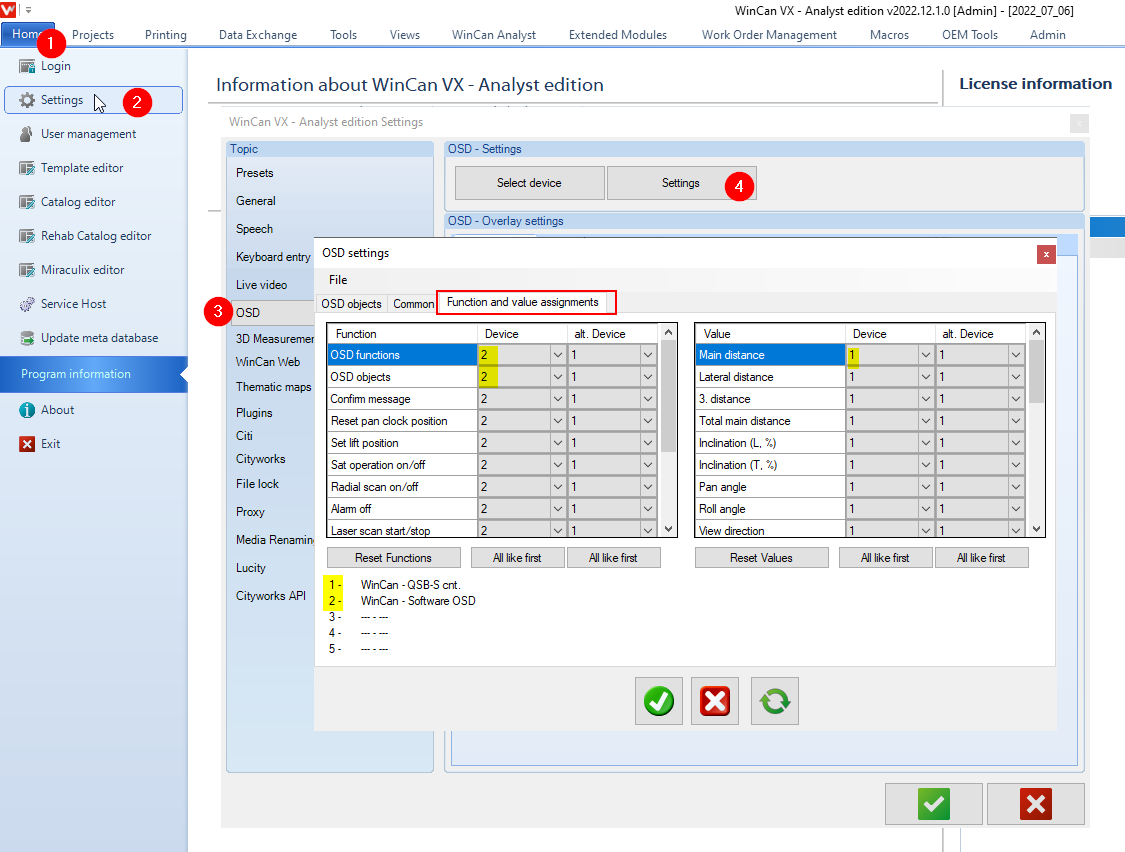
- The QSB encoder should now be set up and ready to use.
Additional Considerations/ Troubleshooting
Distance is counting backwards
If the QSB Encoder is counting into the negative as the crawler is pulled forward, there are 2 possible fixes:
- The encoder wheel can be physically flipped and remounted to spin in the other direction
- The software can compensate and flip the count. this can be done be by Selecting the Settings Gear from the Select Devices page and ticking the check box for 'Reverse Counter':
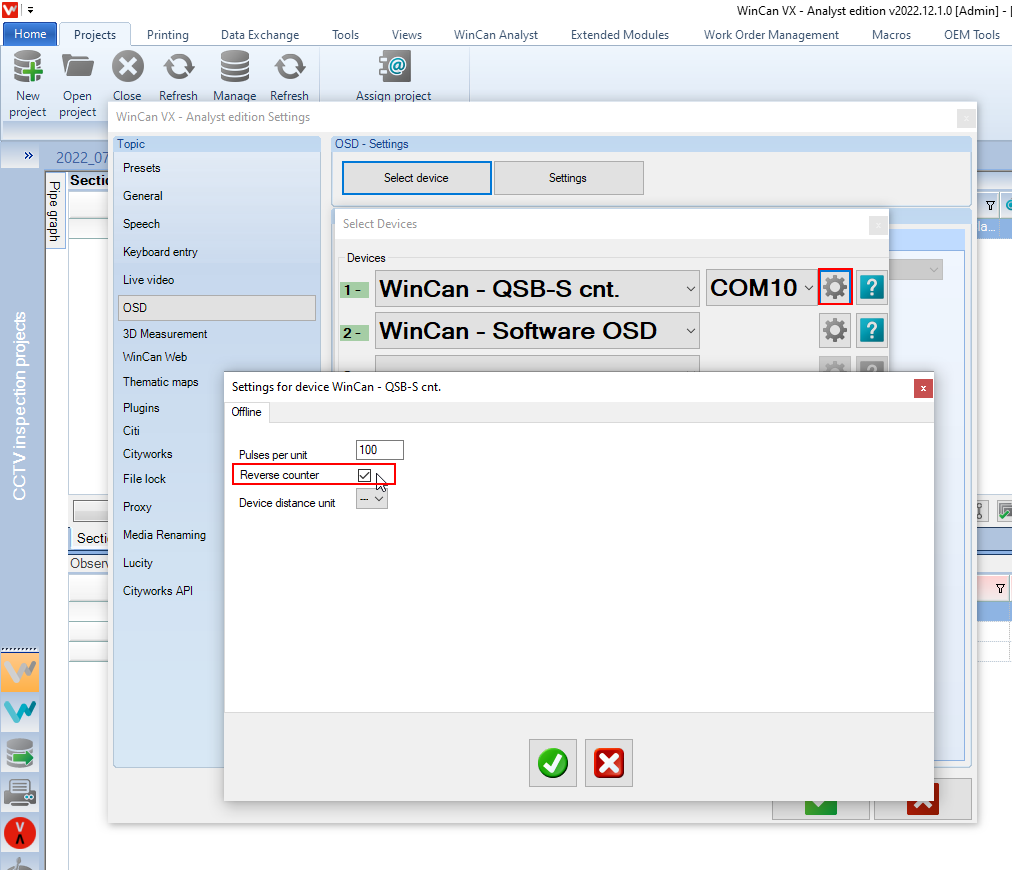
Distance is inaccurate
In some setups, it may be necessary to adjust the 'Pulses per Unit' to get the correct distance reading. This is due to the fact that not all setups will use the same size encoder wheel and the distance traveled by a single rotation may vary from one setup to another. Distance can also be inaccurate if the wrong measurement unit is selected. To compensates for by adjusting the settings from the OSD Device settings. Depending on why the distance reading is incorrect, it may be necessary to adjust the units being read as well as the number of pulses per unit. It may take some experimentation to get the correct pulses per unit if the correct value is not known out of hand.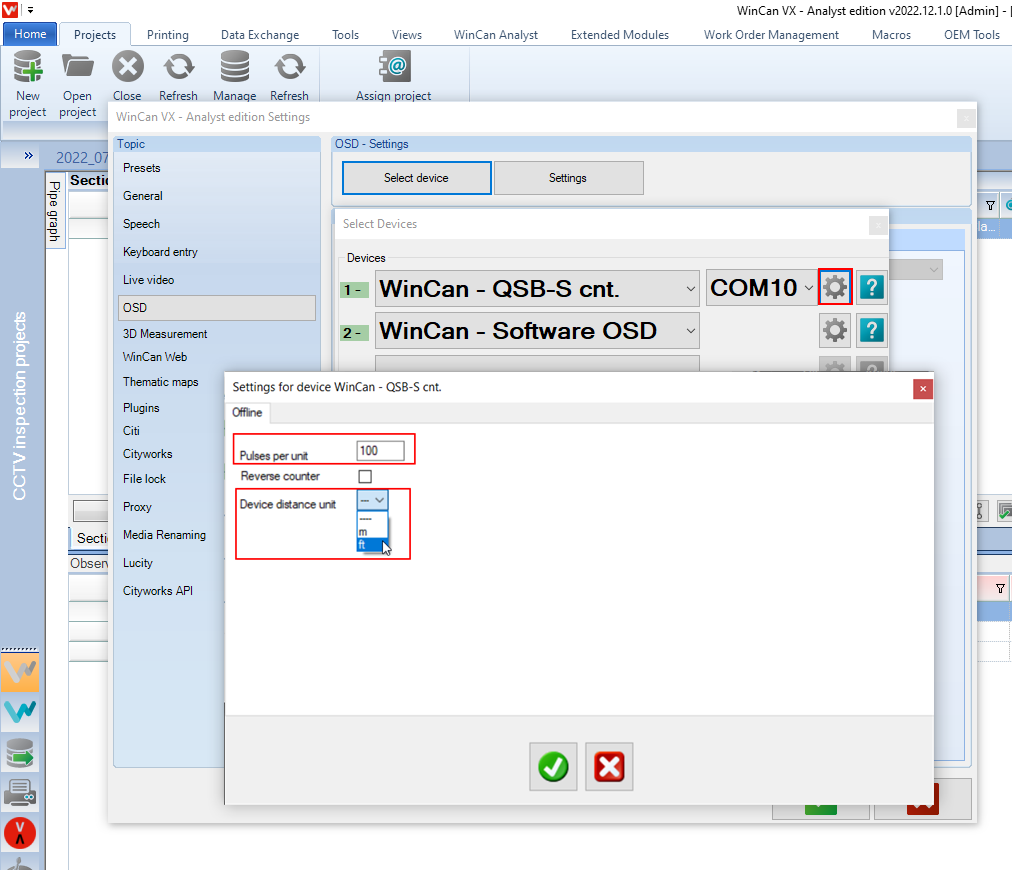
Wiring the QSB encoder with a Keystone Jack
The QSB encoder will ship wired to work with our standard Encoder wheels when connectec via an Ethernet cable. If it is necessary to rewire a QSB encoder with a new Keystone Jack the following configuration should be used: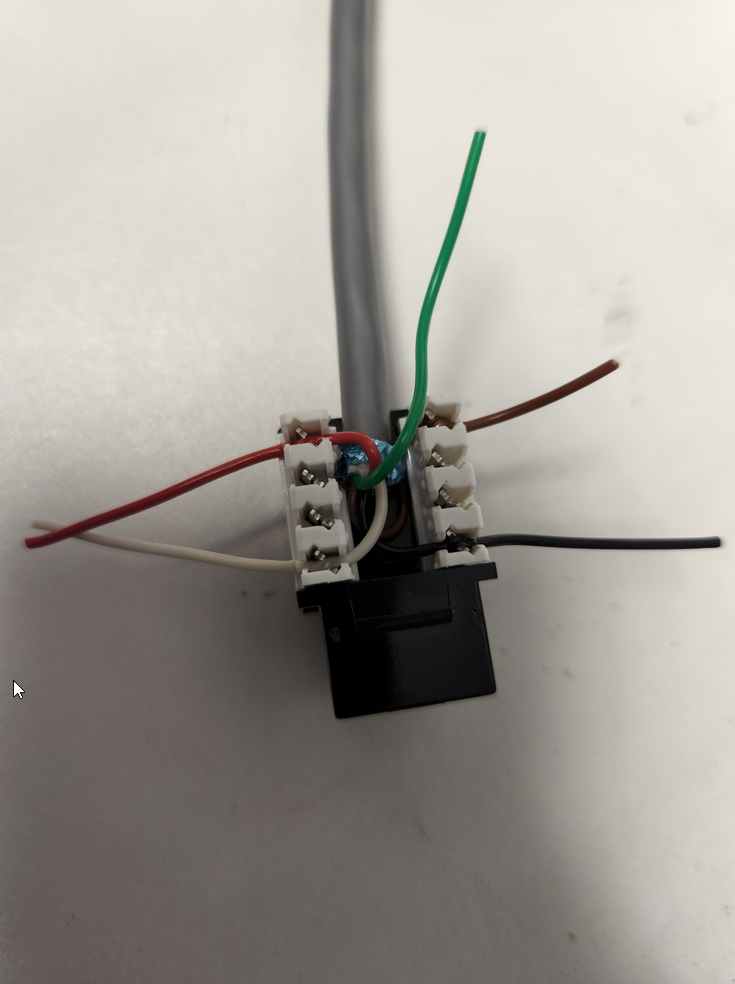

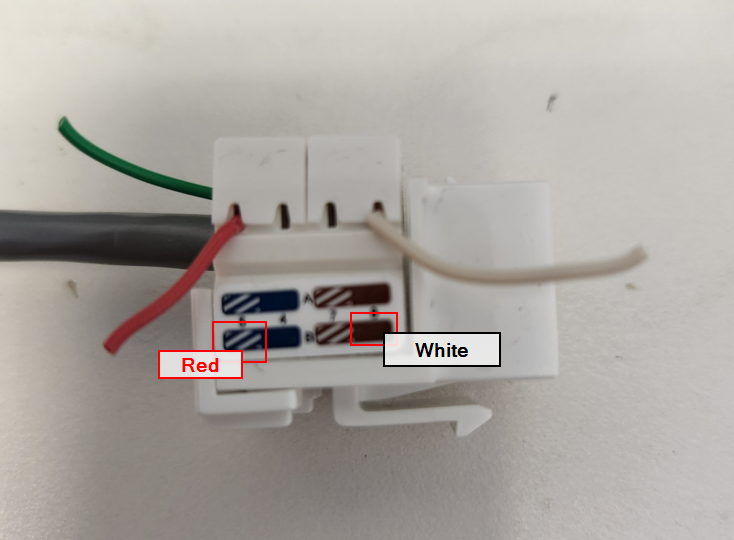
The pin-out of the QSB encoder is available on the above linked website if the Encoder wheel being connected to does not use our standard wiring method and it is necessary to wire the QSB to match a different wheel's pin-out.
Comments
0 comments
Please sign in to leave a comment.