
Introduction
The following article shows you how to reconnect to the WCSYS if it has been disconnected. This happens with some Windows updates and we are investigating further into the cause.
Steps to Connect to the Local WCSYS
- Open WinCan VX
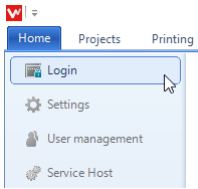
- Select Home>Login
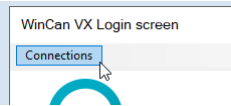
- Click the "Connections" button, then select "Edit Connections"
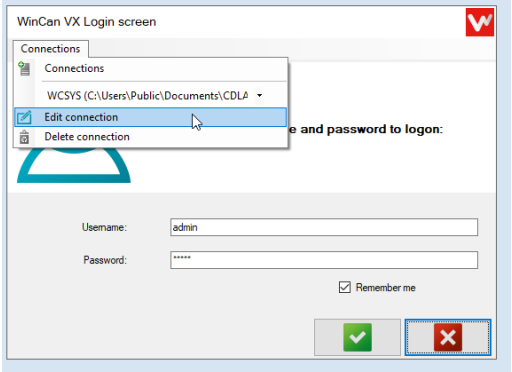
- Confirm the following
- Server or file type = Microsoft SQL Server Compact
- Authentication = Trusted connection SSPI
- Server or path name =C:\Users\Public\Documents\CDLAB\Common\Resources\sqlCE
- Database name = WCSYS.sdf
- Click "Try to connect and save"
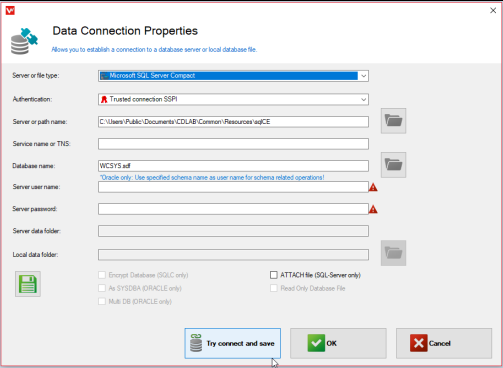
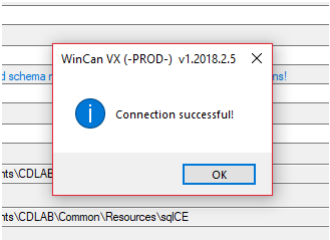
- A Connection successful box should appear, Click "OK"
- Click the Green "OK" check button to complete the connection changes
- Click the Green Check box on the WinCan VX login screen
- Default username = admin
- Default password = admin
Comments
0 comments
Please sign in to leave a comment.