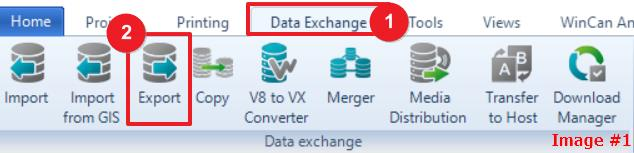
- Click on the “Data Exchange” tab (Image #1)
- Next, select the ‘Export button (Image #1)
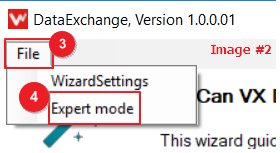
- By default, WinCan VX exports LACP, MACP and PACP data. If you only want to export PACP data, activate the expert mode via “File” (Image #2)
- From there, select “Expert mode” (Image #2)
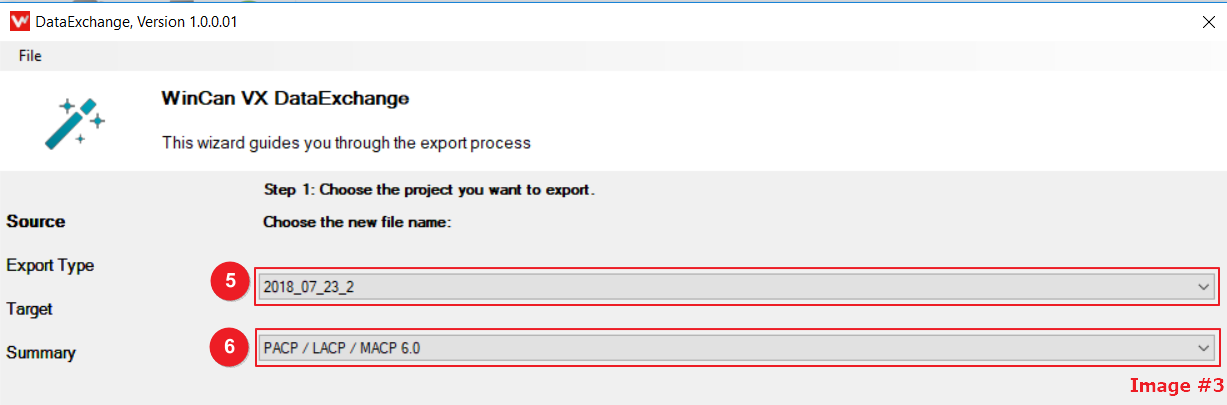
- Choose the project that you want to do a PACP6 export with (Image #3)
- Select PACP / LACP / MACP 6.0 (Image #3)
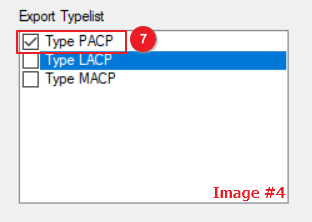
- Select the types from the list and press next (Image #4)
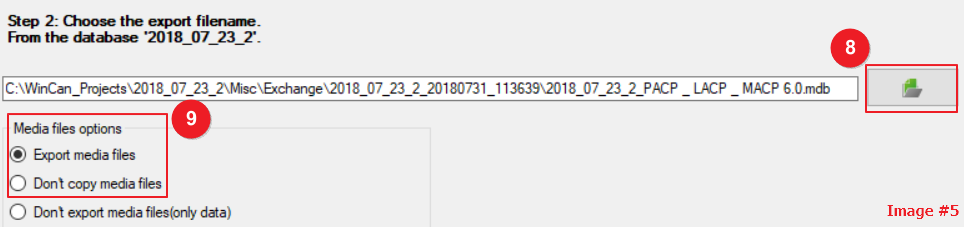
- Choose where you want to send the export, if not it will default back the project. (Image
#5) - Options to export with or without media files. (Image #5)
Now to finish the export, press the “Next” button to finish the process.
How to export to PACP

Comments
0 comments
Please sign in to leave a comment.