
When updating to or installing WinCan VX version 1.2020.8.0 or later, the software will utilize our WinCan software license by default. This can cause problems for existing users in possession of a physical hard-lock license.
This article will describe the process for toggling WinCan VX between software licensing and hard-lock licensing.
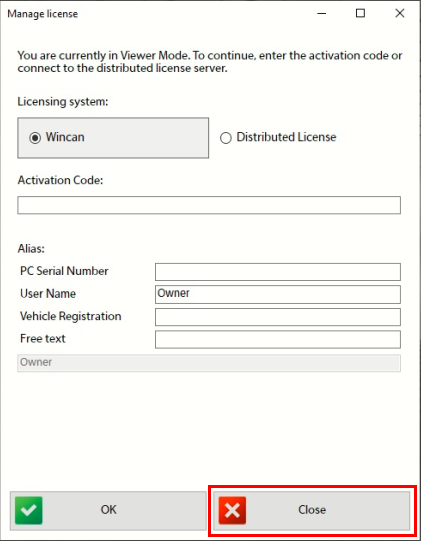
When opening WinCan for the first time the user will be presented with a prompt to enter an activation code. If using a hardlock dongle, press the red X to bypass this screen.
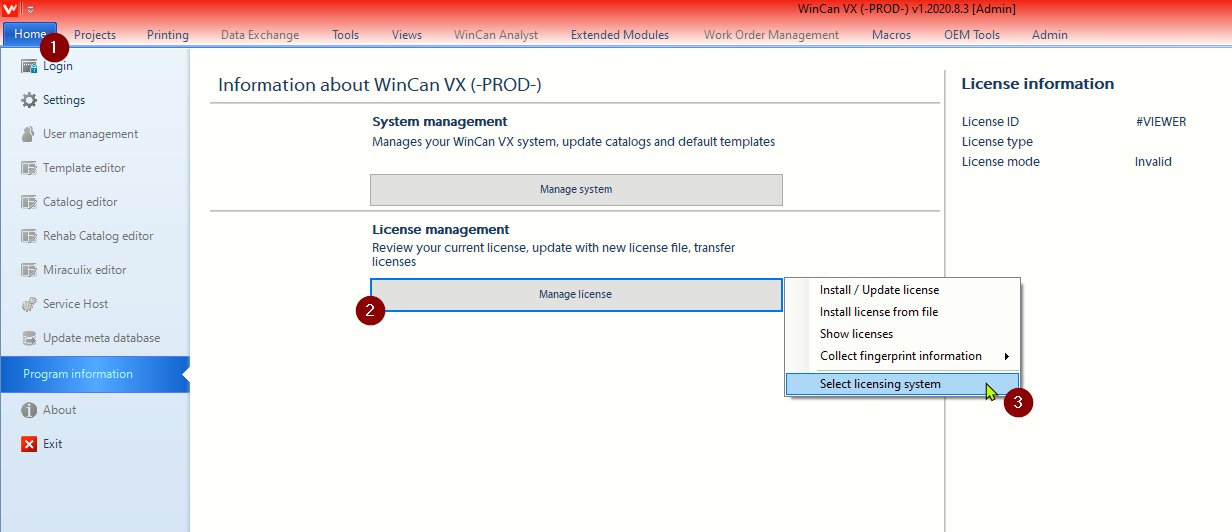
Next, open the 'Home' tab and click on the manage license button , followed by the select licensing system option:
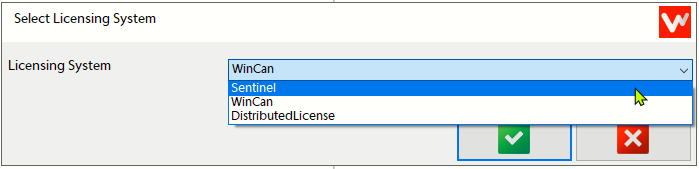
In the 'Select licensing system' menu 'WinCan' is used only for software licenses, meaning any user with a hard-lock will need to select 'Sentinel', then click the the green check  .
.
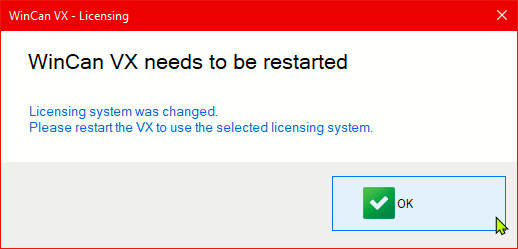
At this point, WinCan VX will prompt the user to close and reopen the software to allow the changes to take effect.
When WinCan has been closed and reopened, it will now search for a physical license dongle.
Comments
0 comments
Please sign in to leave a comment.