
For large projects, the validator can take longer to show the results. To help with this when fixing the errors we can follow these steps:
- Change the number of sections per page:
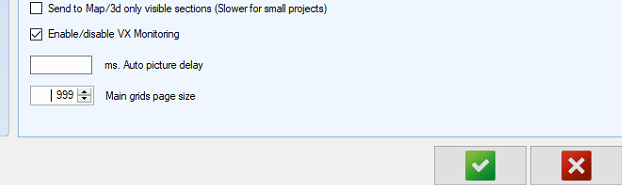
- Click on Home>Settings>general
- Change the Main grids page size to the desired number (999 is the max)
- Filter the section by page:
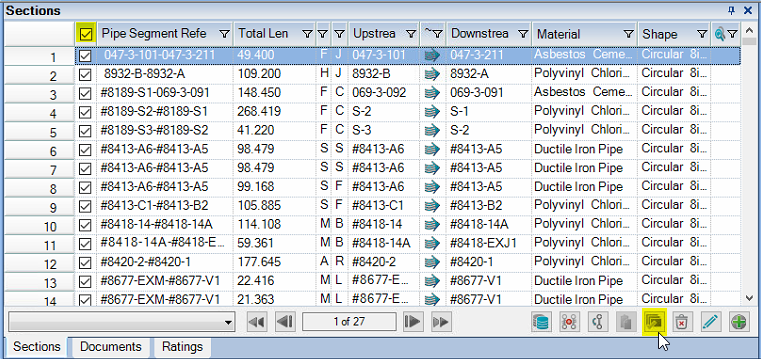
- Click on the Multiple Actions button to activate checkboxes for the sections.
- Click on the Select all check box at the header of the grid to select all of the sections visible on the current page.
- Run Wincan Validator: The validator will automatically run only on the selected sections returning the results much faster.
- Move to the next page (notice that all the checkboxes will get cleared) then click again on the Select all checkbox and Refresh the validator by click on the refresh button

*If for some reason the validator fails to show results, close the validator result panel then run the validator again.
Comments
0 comments
Please sign in to leave a comment.