
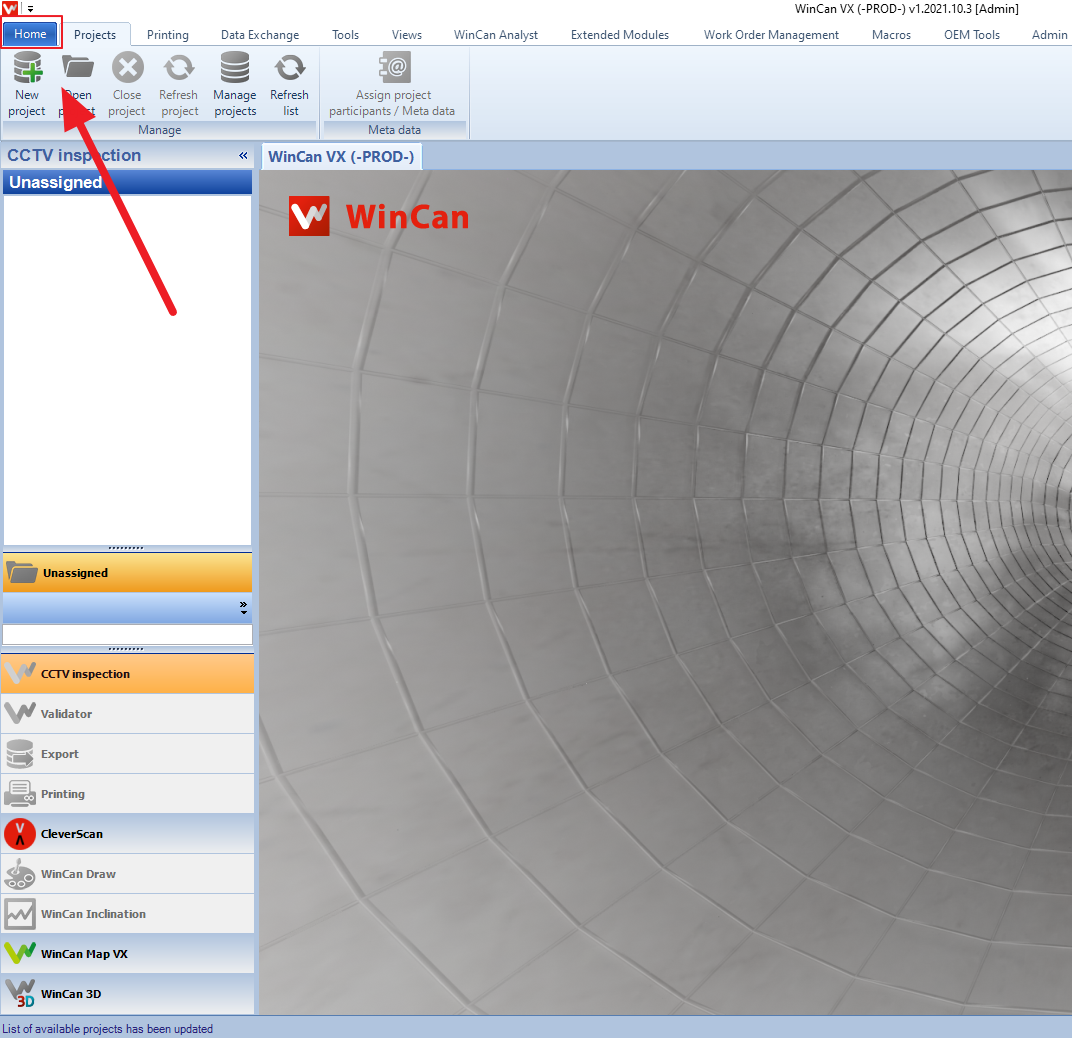
1. Navigate to your 'Home' tab in WinCan VX
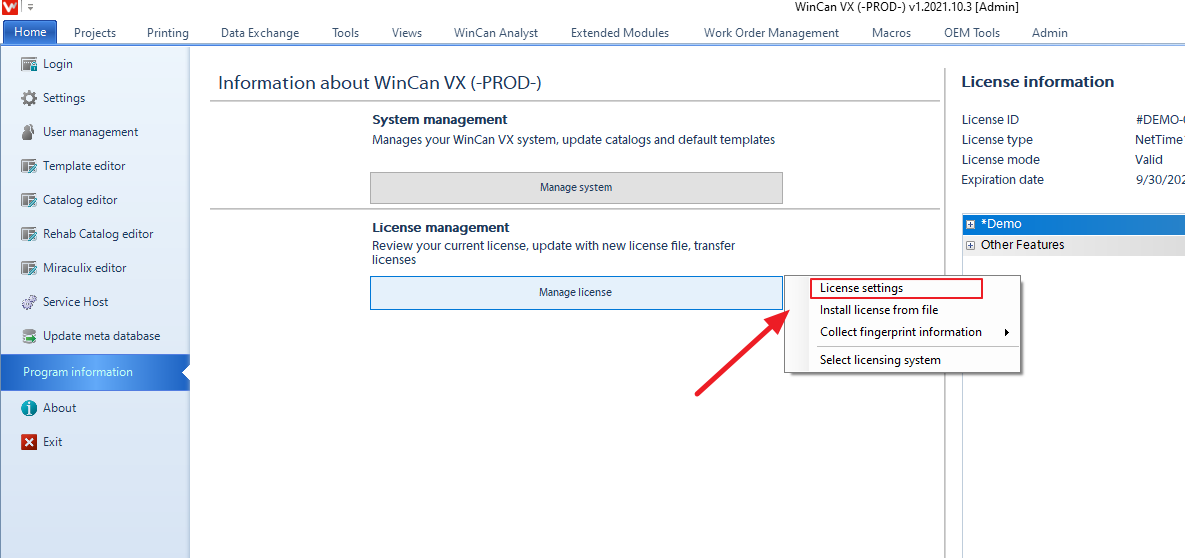
2. Select 'Manage License' and choose 'License Settings'
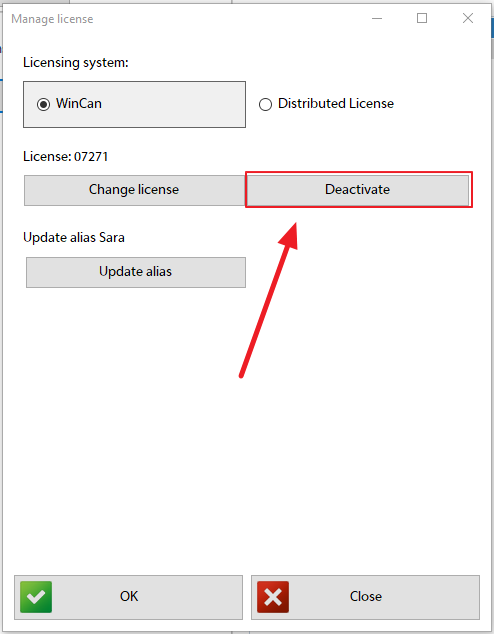
3. Select 'Deactivate'
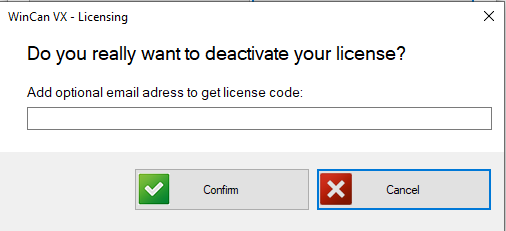
4. WinCan VX will prompt you to enter an email address to send this license code to. This step is optional, but is recommended.
5. Copy code shown in 'Activation Code'. This is a new code for the license and can be applied to another WinCan VX installation.
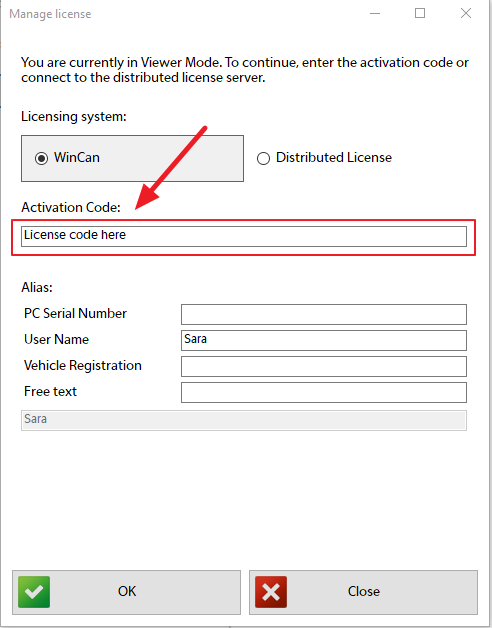
Please use this guide if you need assistance activating your WinCan VX License.
Comments
0 comments
Please sign in to leave a comment.