
The Merge tool is used to send information from one project to another project.
This tool can be used to:
- Merge projects from the TV trucks to a Master database in the office.
- Merge a set of sections from one project to another (see Using the Copy tool and How to use Filters)
- Combine two projects from different computers into one single project on one computer.
Here are the steps:
- Open the project to be merged e.g. Project A
- Click on Data Exchange > Merger
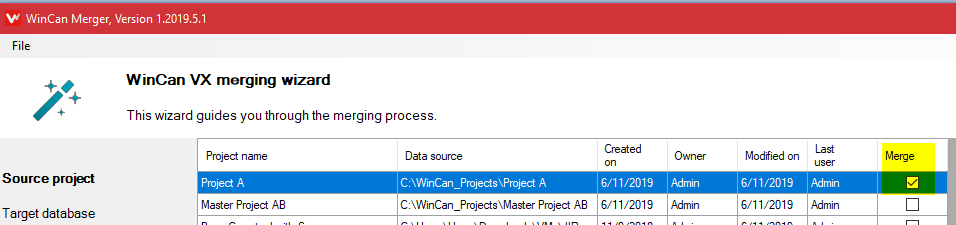
- Checkmark the source project to be merged (Project A) then click next
- Select and highlight the target project where the data is going to be merged.
- If everything looks good with the summary page click on next to start the process.
Comments
0 comments
Please sign in to leave a comment.